Apiary Management
An apiary is your main context in Hive-Pal. All data displayed throughout the application is for your currently selected apiary.
Video Tutorial
[Video: Apiary Management - Coming Soon]
Understanding Apiaries
Context Switching
Apiaries serve as the main organizational context in Hive-Pal. When you select an apiary, all displayed information (hives, inspections, tasks, etc.) relates to that specific location.
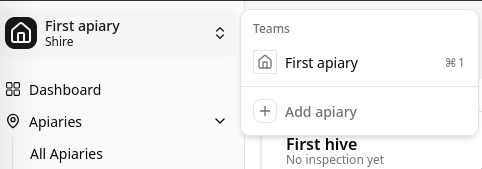
Switching Between Apiaries
- Use the apiary dropdown in the top-left sidebar
- Click to see all your apiaries
- Select different apiary to switch context
- All dashboard data updates automatically
Creating an Apiary
To create a new apiary, you need:
Required Information
- Name: Descriptive name for the location (e.g., "Home Garden", "Johnson Farm")
- Location Description: Brief description of the site
- GPS Coordinates: Latitude and longitude for weather integration
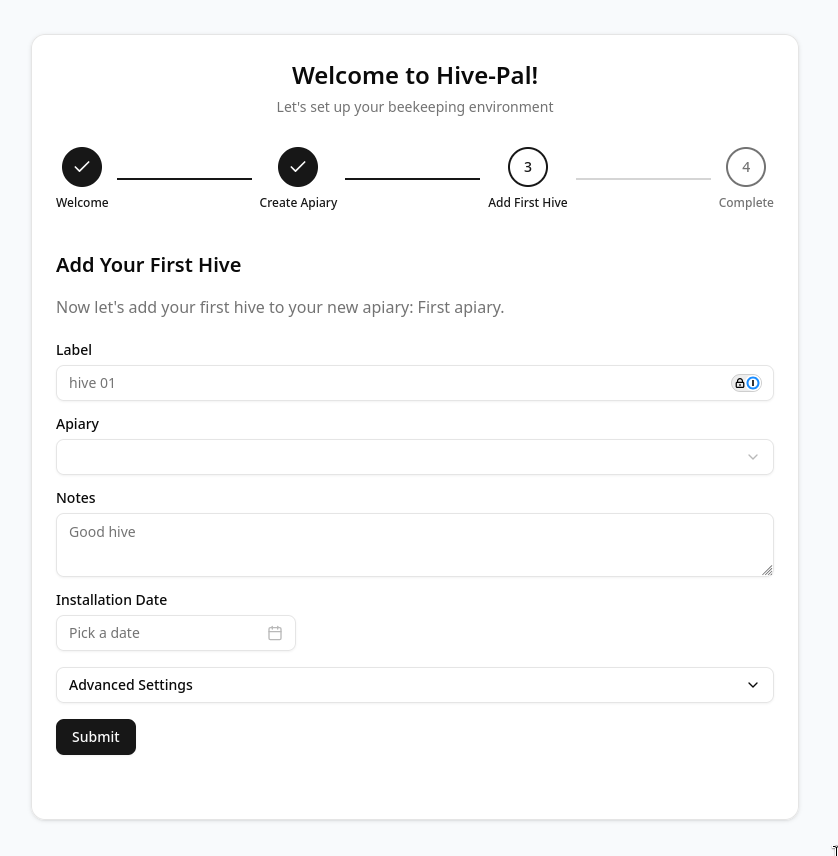
Creation Steps
- Click the "+" button or use FAB menu
- Select "New Apiary"
- Fill in the required fields:
- Enter apiary name
- Add location description
- Set GPS coordinates (click on map or enter manually)
- Click "Save"
Hive Layout Grid
Dashboard Display
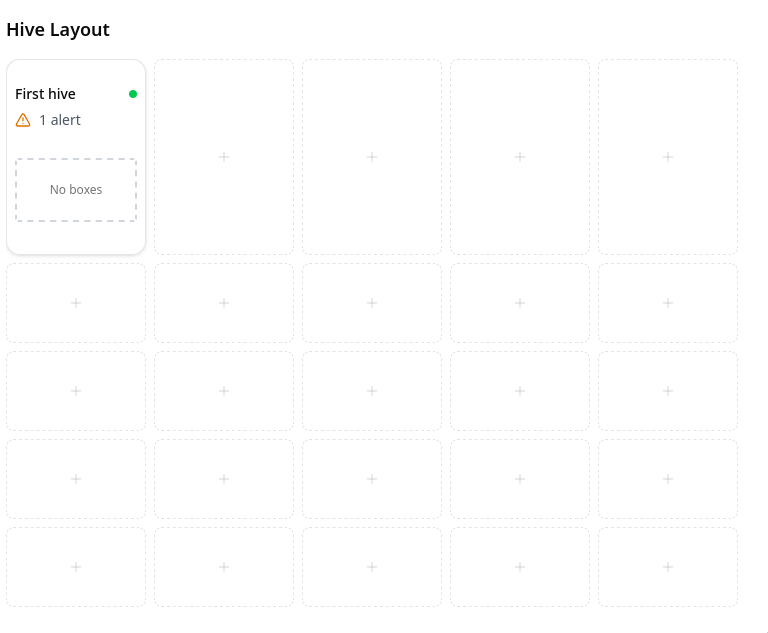
The top section of your dashboard shows a visual grid layout of all hives in the current apiary. This provides an at-a-glance view of your hive arrangement.

Configuring Layout
- Navigate to apiary details
- Click "Hives"
- Drag and position hives in the grid
- The grid adjusts to the number of hives in row/column
- Layout saves automatically
Grid Benefits
- Visual representation of physical hive placement
- Quick status overview of all hives
- Easy identification of hive locations
- Matches your actual apiary layout
Managing Apiaries
Editing Apiary Details
- Click edit button on apiary details page
- Update name, description, or coordinates
- Changes apply immediately
Deleting an Apiary
Warning: Deleting an apiary removes all associated hives and data
- Navigate to apiary settings
- Click "Delete Apiary"
- Confirm deletion by typing apiary name
Best Practices
- Use descriptive names that identify the location clearly
- Keep GPS coordinates accurate for weather data
- Set up the grid layout to match your physical arrangement
- Switch contexts using the sidebar dropdown, not by navigating between pages