Hive Management
Manage your hives with comprehensive tools for tracking status, configuration, and colony health. Each hive provides detailed insights and management capabilities.
Video Tutorial
[Video: Hive Management - Coming Soon]
Overview Tab
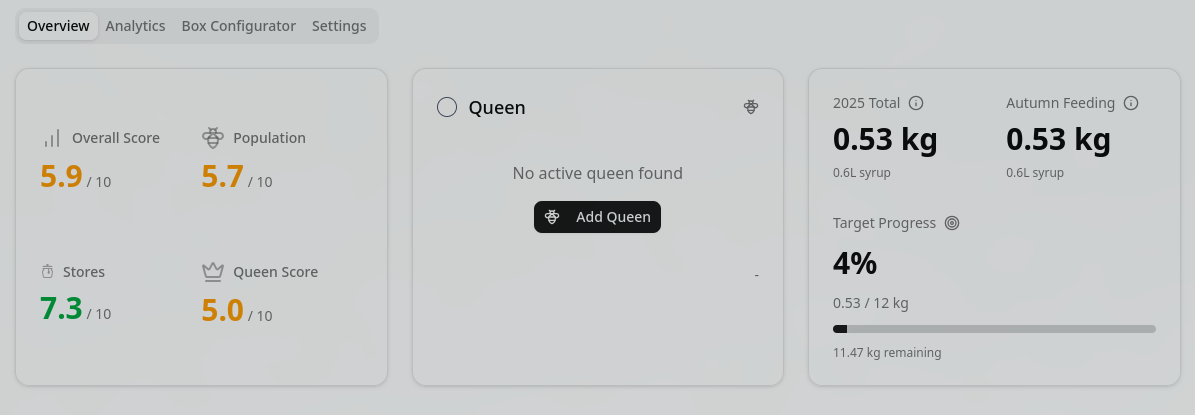
Main Display
The overview tab presents key information at a glance:
- Hive Score: Overall health and performance rating (explained in inspection documentation)
- Queen Status: Current queen information if present
- Feeding Details: Active feeding programs and schedules
- Colony Strength: Current population estimate
- Last Inspection: Date and key findings
Activity Timeline
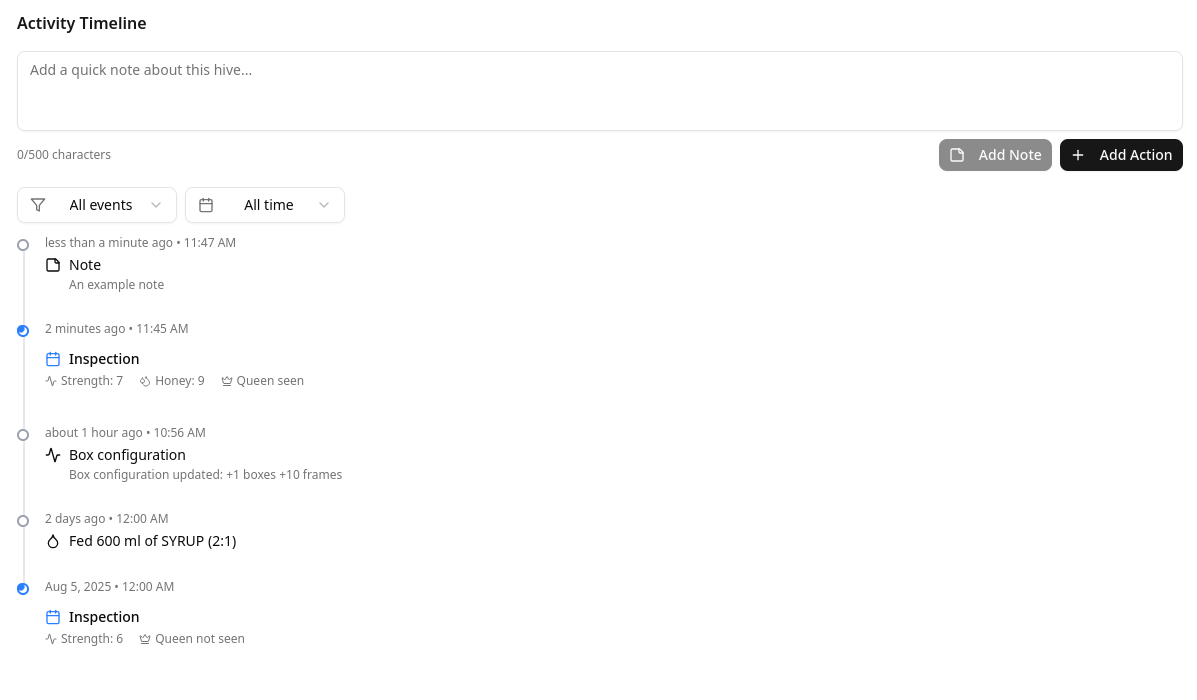
Track all hive events in chronological order:
- Event Types: Inspections, treatments, feeding, queen events, harvests
- Filtering Options:
- Filter by event type
- Date range selection
- Search within notes
- Quick Actions:
- Add note directly to timeline
- Create new action item
- Mark events as important
Right Side Panel
Quick access to important information and actions:
Active Alerts
- Overdue inspections
- Treatment reminders
- Feeding schedules
- Queen issues
- Disease warnings
Weather Widget
- Current conditions at hive location
- 7-day forecast
- Temperature trends
- Precipitation alerts
- Foraging conditions
Quick Actions
- Add Inspection: Quick entry form
- Schedule Inspection: Set future date
- Add Queen: Link or create queen record
- Edit Hive: Modify hive details
- Print QR Code: Generate hive label with link
- Remove Hive: Archive or delete
Analytics Tab
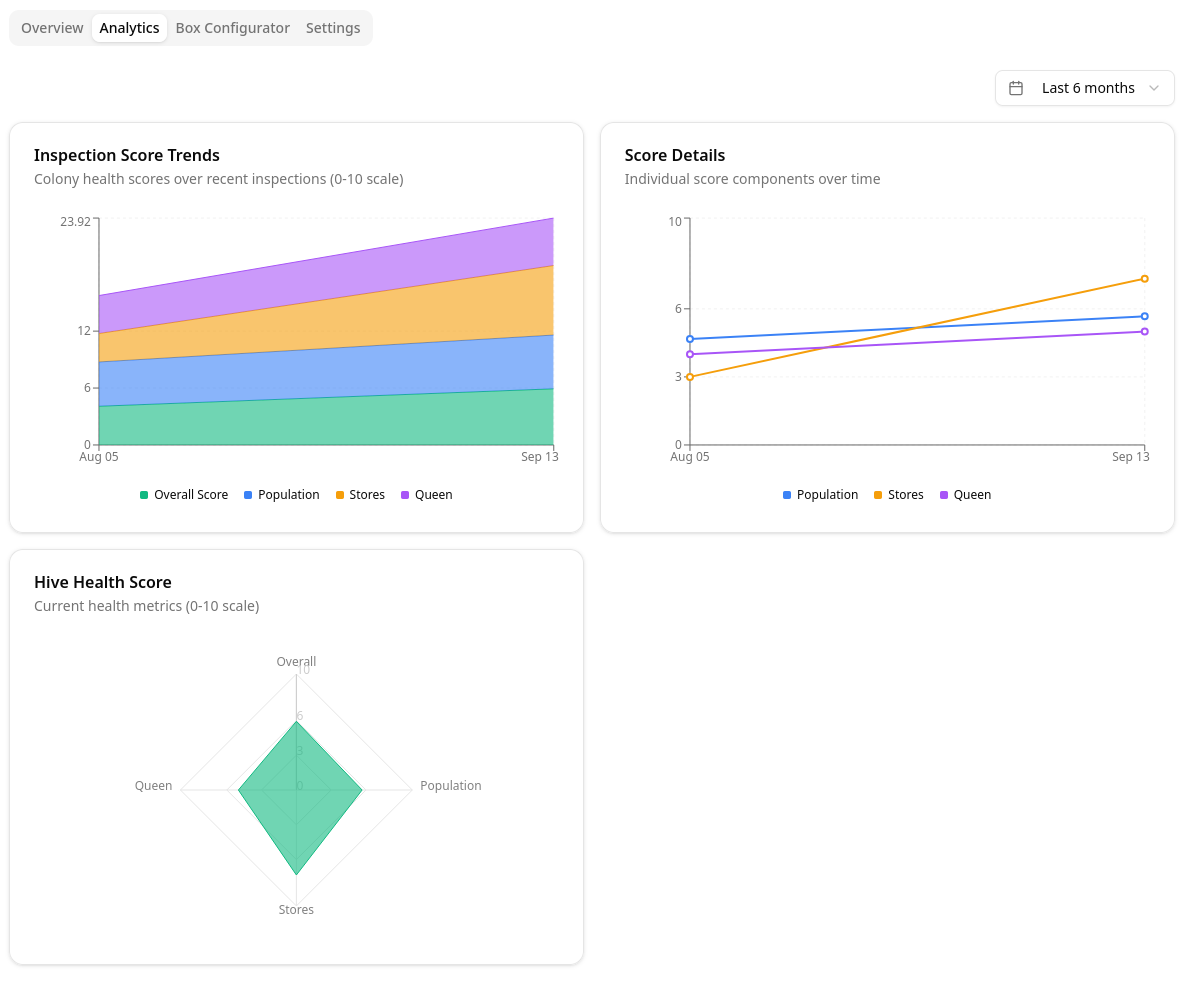
Performance Graphs
Visualize hive metrics over time:
Hive Score Tracking
- Score trends with configurable time periods
- 24 hours, 7 days, 30 days, 90 days, 1 year
- Compare with apiary average
- Identify patterns and anomalies
Additional Metrics
- Population estimates
- Honey production
- Varroa levels
- Treatment effectiveness
- Queen performance
Box Configurator Tab
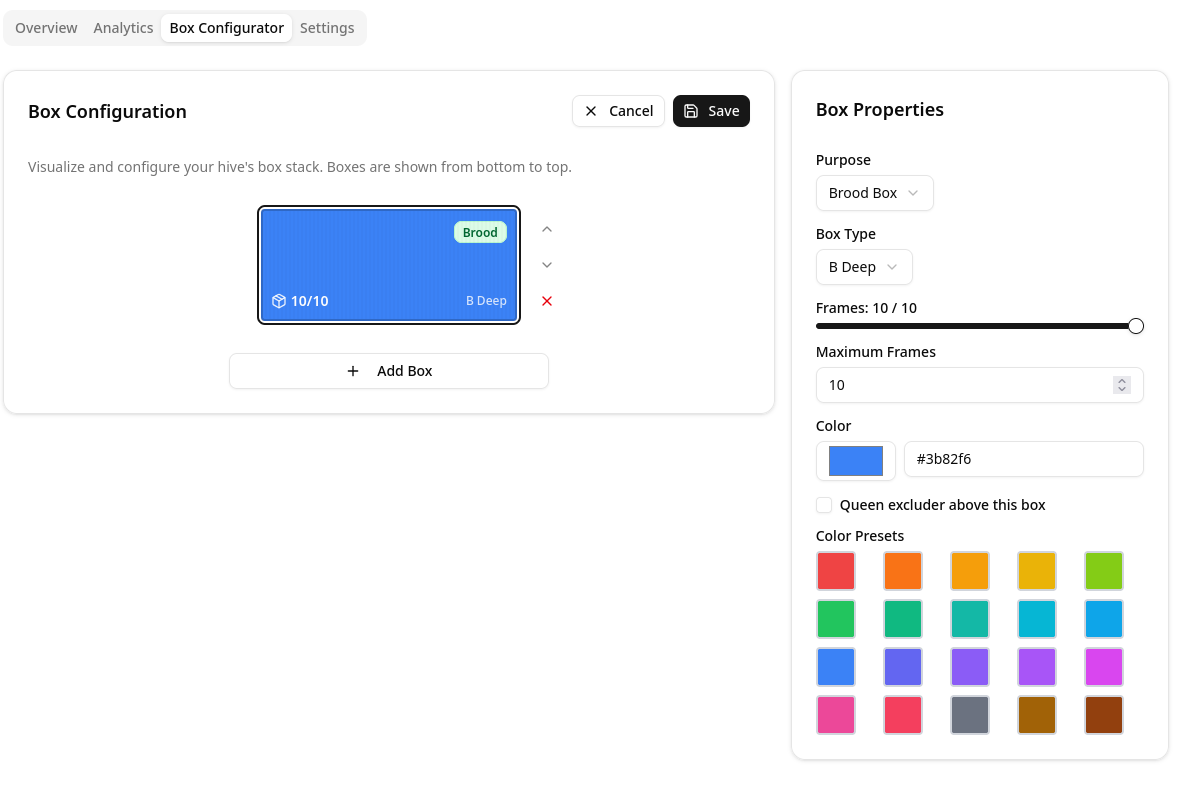
Visual Box Management
Configure your hive's physical structure:
Box Setup
- Add/Remove Boxes: Build your hive stack
- Box Types:
- Brood box
- Honey super
- Feeder
- Other specialized equipment
- Frame Configuration: Set frame count per box (8, 10, custom)
- Color Coding: Assign colors for visual identification
- Drag to Reorder: Arrange boxes to match physical setup
Box Details
- Track box age and condition
- Note foundation type
- Monitor comb status
- Schedule maintenance
Settings Tab
Hive Configuration
Customize hive-specific settings:
Basic Settings
- Hive Name/Number: Unique identifier
- Location: Position within apiary
- Type: Langstroth, Top Bar, Warre, etc.
- Status: Active, inactive, combining, etc.
Inspection Schedule
- Frequency: Set inspection intervals
- Season Adjustments: Different schedules for active/dormant seasons
- Reminder Preferences: Email, push, in-app notifications
- Auto-scheduling: Generate recurring inspections
Feeding Management
- Autumn Feeding Period:
- Start and end dates
- Target sugar amount (kg/lbs)
- Feeding method (syrup ratio, fondant, etc.)
- Spring Feeding: Stimulative feeding schedule
- Emergency Feeding: Quick-access presets
Advanced Settings
- Disease Monitoring: Thresholds and alerts
- Queen Tracking: Marking system and replacement schedule
- Production Goals: Honey targets and tracking
- Notes Template: Default inspection form fields

- Consistent Naming: Use systematic identifiers
- Regular Updates: Keep status current
- Complete Profiles: Fill all relevant fields
- Photo Documentation: Visual progress tracking
- Timely Inspections: Follow your schedule
Related Features
- Inspections - Record detailed observations
- Queen Management - Track queen lineage
- Harvest Tracking - Monitor production
- Equipment Management - Manage resources