Equipment Management
Comprehensive equipment tracking and management system that spans across all your apiaries. Plan your inventory needs, track equipment location and condition, and generate shopping lists based on your operation's growth targets.
Video Tutorial
[Video: Equipment Management System - Coming Soon]
System Overview
The equipment management system provides centralized tracking across all your apiaries with intelligent capacity planning and automated shopping list generation.
Key Features
- Cross-Apiary Tracking: Manage equipment inventory across all locations
- Customizable Equipment Types: Track standard items and add custom equipment
- Capacity Planning: Set target multipliers for growth planning
- Per-Hive Requirements: Configure how much of each item you need per hive
- Shopping List Generation: Automatically calculate what you need to purchase
- Override Capabilities: Manually adjust any calculated values
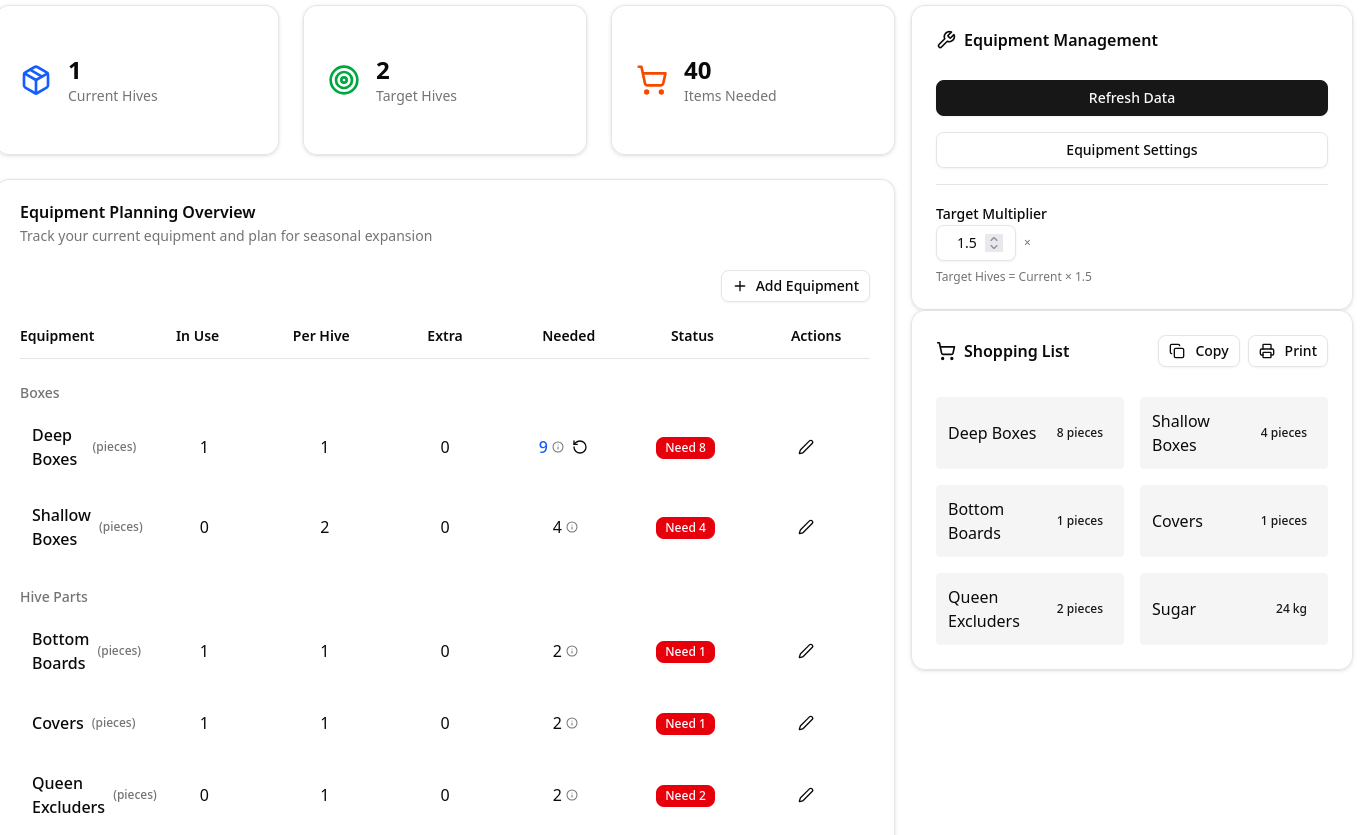
Equipment Configuration
Standard Equipment Types
The system comes pre-configured with common beekeeping equipment:
Hive Components
- Boxes:
- Deep boxes (brood chambers)
- Shallow boxes (honey supers)
- Medium boxes
- Bottom Boards: Solid and screened options
- Covers: Inner covers and telescoping covers
- Queen Excluders: Plastic and metal variants
Frames and Foundation
- Frames: Deep, medium, and shallow frames
- Foundation: Wax, plastic, or foundationless
- Frame spacing: 8-frame, 10-frame configurations
Feeding Supplies
- Sugar: Granulated sugar for syrup and emergency feeding
- Feeders: Top feeders, frame feeders, entrance feeders
- Pollen Substitutes: Patties and dry feed
Adding Custom Equipment
Create custom equipment types for specialized items:
- Navigate to Equipment Settings
- Click Add Custom Equipment Type
- Configure:
- Equipment name and category
- Unit of measurement (pieces, kg, liters, etc.)
- Default per-hive requirement
- Minimum stock level

Capacity Planning System
Target Multiplier Configuration
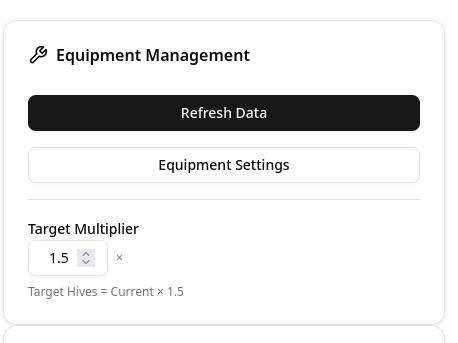
The target multiplier helps you plan for growth and maintain adequate reserves:
How It Works
- Set a multiplier (e.g., 1.5x)
- System calculates equipment needs based on current hive count
- Example: With 4 hives and 1.5x multiplier:
- Target capacity: 6 hives
- Equipment calculated for 6 hives
- Ensures 50% growth capability
Setting Multipliers
- Go to Equipment → Settings
- Set Global Target Multiplier (applies to all equipment)
- Override per equipment type if needed:
- Boxes might need 2x for rotation
- Frames might need 1.2x for replacements
- Tools might need 1x (no extras needed)
Per-Hive Requirements
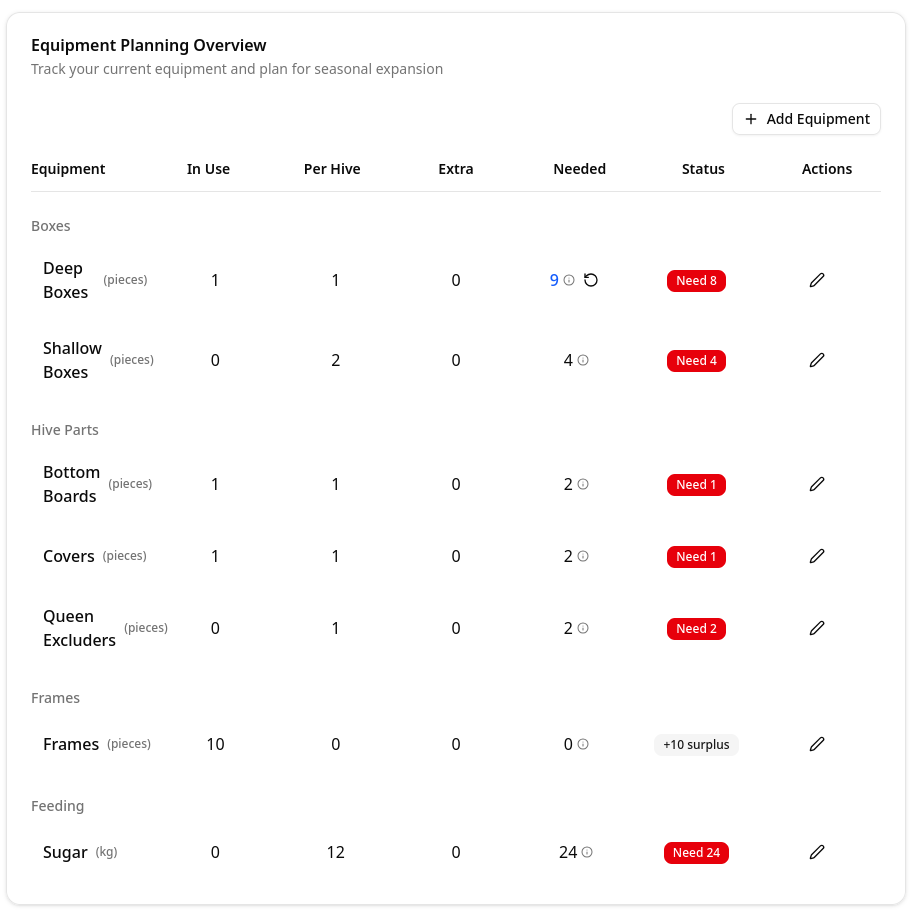
Configure how much of each item you need per hive:
Standard Requirements
Common per-hive configurations:
- Deep Boxes: 2 per hive (brood chambers)
- Shallow Boxes: 3-4 per hive (honey supers)
- Frames: 10 per box (for 10-frame equipment)
- Bottom Board: 1 per hive
- Cover: 1 per hive
- Queen Excluder: 1 per hive
- Sugar: 15-25 kg per hive annually
Customizing Requirements
- Select equipment type
- Click Edit Requirements
- Adjust:
- Base amount per hive
- Seasonal variations
- Location-specific needs
Manual Overrides
Override any calculated value with static numbers:
When to Use Overrides
- Bulk purchases: Set minimum order quantities
- Shared equipment: Items used across multiple operations
- Special circumstances: Unique requirements for specific apiaries
- Fixed inventory: Items you want to maintain at specific levels
Setting Overrides
- Navigate to equipment item
- Click Override Calculated Need
- Enter static value
- Add note explaining override reason

Shopping List Generation
Automatic Calculation
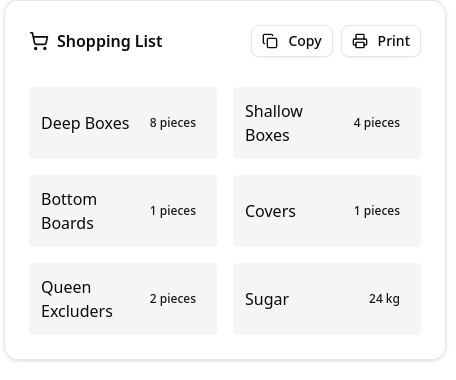
The system generates shopping lists by:
- Counting current hives across all apiaries
- Applying target multiplier for growth planning
- Calculating needs based on per-hive requirements
- Comparing with current inventory
- Generating purchase list of items needed
Shopping List Features
List Contents
- Item name and specifications
- Quantity needed
- Current inventory level
- Deficit amount
Filtering and Sorting
- Filter by category
- Group by equipment type
Example Scenario
Current Setup:
- 4 active hives
- Target multiplier: 1.5x
- Target capacity: 6 hives
Equipment Calculation:
Deep Boxes:
- Need: 6 hives × 2 boxes = 12 boxes
- Have: 8 boxes
- Buy: 4 boxes

Frames (Deep):
- Need: 12 boxes × 10 frames = 120 frames
- Have: 85 frames
- Buy: 35 frames (or 4 boxes of 10)

Sugar (Annual):
- Need: 6 hives × 20 kg = 120 kg
- Have: 30 kg
- Buy: 90 kg
Inventory Management
Location Tracking
Track where equipment is located:
Assignment Options
- In Use: Assigned to specific hive
- Apiary Storage: Stored at apiary location
- Central Storage: Main equipment warehouse
- Out for Repair: Temporarily unavailable
- On Order: Purchased but not received
Condition Monitoring
Track equipment condition and lifecycle:
Condition States
- New: Unused equipment
- Good: Fully functional
- Fair: Usable but showing wear
- Poor: Needs repair or replacement soon
- Retired: No longer usable
Maintenance Tracking
- Schedule regular maintenance
- Log repairs and refurbishment
- Plan replacement cycles
Seasonal Planning
Spring Requirements
- Additional boxes for swarm control
- Frames and foundation for expansion
- Swarm capture equipment
- Queen rearing supplies
Summer Needs
- Honey supers and frames
- Extraction equipment availability
- Queen excluders for honey production
- Shade boards and ventilation
Autumn Preparation
- Feeding equipment
- Sugar for winter stores
- Mouse guards and entrance reducers
- Insulation materials
Best Practices
Inventory Management
- Regular Updates: Count inventory at least seasonally
- Accurate Tracking: Update location when moving equipment
- Condition Assessment: Check equipment during inspections
- Timely Ordering: Purchase before peak season demand
Capacity Planning
- Conservative Multipliers: Start with 1.3-1.5x for steady growth
- Seasonal Adjustments: Increase multipliers before swarm season
- Review Annually: Adjust based on actual growth
- Consider Losses: Factor in potential colony losses
Equipment Standards
- Standardize Types: Use consistent equipment across apiaries
- Quality over Quantity: Invest in durable equipment
- Proper Storage: Protect equipment from weather and pests
- Regular Maintenance: Clean and repair between seasons
Record Keeping
- Maintenance Logs: Document all repairs
- Disposal Records: Track retired equipment
- Location History: Track equipment movements
Common Issues
Shopping list seems incorrect:
- Verify current inventory counts
- Check target multiplier settings
- Review per-hive requirements
- Look for manual overrides
Equipment not showing in available list:
- Check location assignment
- Verify condition status
- Ensure not marked as retired
- Review filtering settings
Capacity calculations off:
- Confirm active hive count
- Check for archived hives included
- Verify multiplier settings
- Review seasonal adjustments
Related Features
- Apiaries - Manage multiple locations
- Hives - Individual hive management
- Inspections - Track equipment during inspections
- Harvest - Equipment for honey processing